About Course
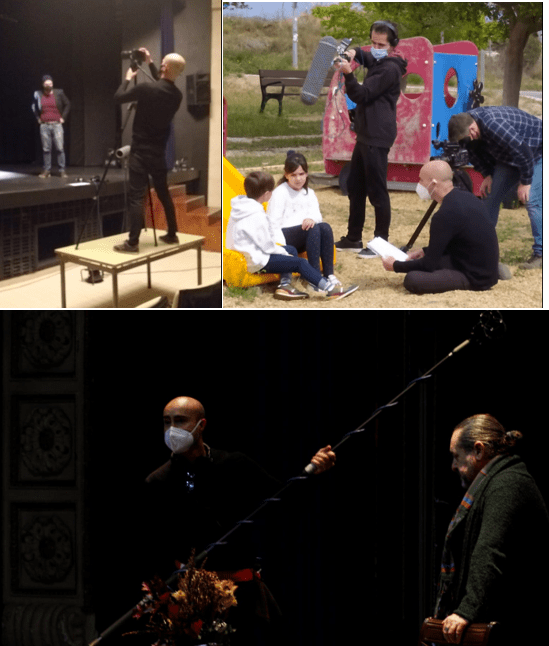
The course Make Your Short Film takes you from the idea to your first finished short and, on top of that, to knowing what to do with it. You learn the whole process, explained from my real experience making independent films: writing and preparing the shoot, shooting on a small budget, and the complete guide to doing your post-production in DaVinci Resolve, using Blackmagic's free official tutorial with my own route through it, my shortcuts and examples applied to a real low-budget shoot. And it doesn't end there: I show you how to distribute your short film and take it around festivals with a strategy, all the way to the awards route.
What you'll learn:
- How to write and prepare a shoot from scratch.
- The basics of camera, light and sound, and the roles on a set.
- How to solve the real problems that come up on a shoot.
- A practical guide to doing your short's post-production in DaVinci Resolve, with an annotated route through Blackmagic's official tutorial and tricks applied to low-budget shoots.
- How to export and deliver your short in the right format.
- How to distribute it and take it around festivals, including the route to awards.
Audience:
- People with no experience who want to shoot their first short film.
- Film lovers who want to control the whole process, from the script to festivals.
Frequently asked questions
If you have a question that isn't here, write to me and I'll answer it myself.
How long does the course take?
It's 53 lessons and almost 6 hours of video. At three or four hours a week, about six weeks. But there's no rush: access is forever, so you can go at your own pace and come back to the lessons you need while you shoot
Do I need a professional camera to start?
No. This course is made precisely for people who are starting out. With a recent phone or a stills camera that shoots video, you can already shoot. In the shooting module I explain how I've made the most of basic equipment on my 6 feature films.
What if I've never written a script?
Module 1 starts from zero. Writing, structure and typical mistakes. I give you downloadable script templates ready to use.
What software do I need for post-production?
DaVinci Resolve, which is free (you don't need the Studio version to start). In Module 4 I give you an annotated route through Blackmagic's official tutorial, with my shortcuts and tricks applied to a real short.
Do I get lifetime access?
Yes. One-time payment, lifetime access. And if I add new material to the course, you get it at no extra cost.
Is there a refund policy?
14 days. If you find it's not for you, write to me and I'll refund your money. No questions asked and no need to explain yourself. You can read the terms in the refund policy.
Can I ask you questions while I'm taking the course?
Yes. Every lesson has a comments area where I answer you personally. It's a course, not a product that gets dumped on you.
When is it worth moving on to the «Anatomy of 50 Short Films» course (295 €)?
When you've already shot your first short and want to analyse 50 of my real shorts sequence by sequence to polish your second one. They're complementary courses, not repeats. You can In this topic we introduce the short films shot in 2021.
Course Content
MODULE 1 · WRITING
-
1.1 Writing
05:48 -
1.2 Script
11:26 -
1.3 Script tips
09:35 -
1.4 Creativity
09:52 -
1.5 Paperwork for your film
07:55 -
1.6 Downloadable script templates and examples
MODULE 2 · PRE-PRODUCTION
MODULE 3 · SHOOTING
MODULE 4 · POST-PRODUCTION AND EDITING (annotated route through the official DaVinci Resolve tutorial)
MODULE 5 · DISTRIBUTION AND FESTIVALS
MODULE 6 STUDENT EXAMPLES
Bonus: Short Film Course
Bonus: Feature Film Course
Bonus: Web series
Bonus: Tips
Bonus: Festivals and Grants List
Student Ratings & Reviews